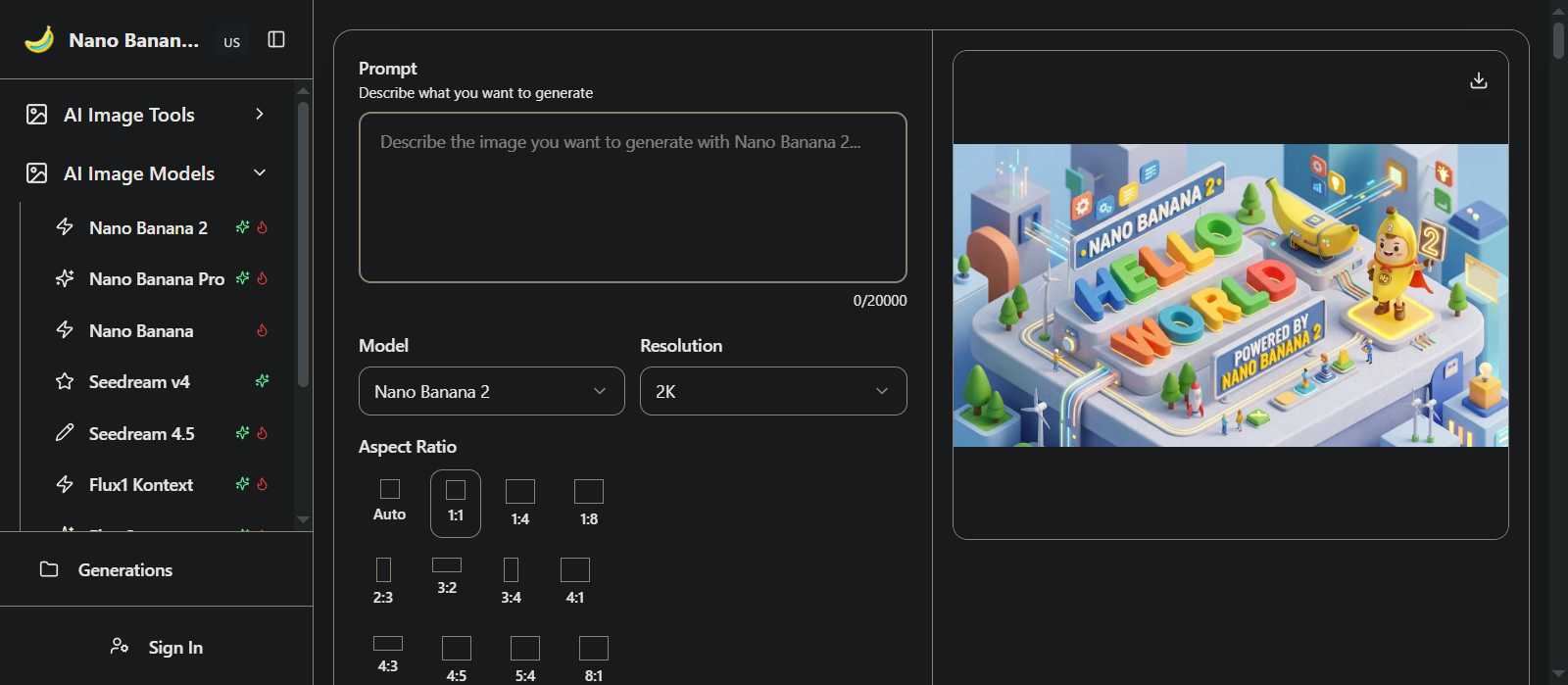
Google has officially launched Gemini Nano Banana 2, a massive upgrade to its AI image generation lineup. Built on the new Gemini Flash architecture, this model brings Lightning-Fast Generation directly to users without sacrificing professional-grade quality. It offers unlocked premium features like text rendering, translation, and high-resolution upscaling.
Nano Banana 2 AI aims to give creators the best of both worlds: extreme speed and stunning detail.
3 Key Takeaways
- Speed and Quality: Built on the Flash architecture, it delivers rapid edits and high-quality image generation. This reduces the time from prompt to final product.
- Advanced Consistency: The model can accurately keep the resemblance of up to five different characters. It can also manage 14 specific objects within a single workflow.
- Web-Grounded Intelligence: It uses real-time web search and Gemini’s world knowledge to accurately create images of current events, specific landmarks, and culturally relevant topics
What is Nano Banana 2?
Blazing-Fast Generation

Many users are asking, what is Nano Banana 2 and what’s new?
Simply put, it is Google’s newest image generation model that prioritizes speed and precision. Nano Banana 2 Gemini integration brings Gemini Flash’s speed to image creation, enabling rapid, iterative edits. Fast performance is merged with high accuracy. This allows users to bring prompt ideas to life almost instantly. They can also easily fine-tune the details.
4K Professional Output

For those wondering, can nano banana pro make 4K?
Yes, and so can the standard Nano Banana 2. Users can adjust their picture size. They can choose quality from a small 512 pixels all the way up to very high 4K resolution. This 4K Professional Output makes the images suitable for social media, professional presentations, marketing materials, print, and large-format displays.
Nano Banana 2 Advanced Features: Text, Characters, and Objects
Precise Text Rendering and Localization

A major pain point for older AI models was creating readable text. Nano Banana 2 solves this by generating precise, legible text directly into your images. This is perfect for generating greeting cards, marketing mockups, and posters. Furthermore, you can localize your creations by translating text into different languages directly within the image.
Multi-Character Consistency

When building stories or comic books, keeping characters looking the same is crucial. Nano Banana 2 can keep up to five characters and 14 different objects looking identical across multiple images and workflows.
Nano Banana 2 : Real-Time Web Grounding and Cultural Awareness
Real-World Knowledge

Unlike offline models, Nano Banana 2 features advanced world knowledge. It is powered by real-time information and images from web search. This allows it to accurately render specific subjects, current topics, and landmarks.
Data Visualization and Culture

The model is not just for art; it is a serious business tool. It leverages Gemini’s real-world knowledge to create infographics, turn notes into diagrams, and generate data visualizations with factual accuracy. Additionally, its advanced cultural understanding ensures that images are contextually appropriate across different global regions.
Nano Banana 2: Advanced Editing and Flexible Formatting
Transforming Existing Photos
Nano Banana 2 isn’t just for creating images from scratch. It features advanced image editing capabilities that let you transform existing photos. By using natural language commands, the AI applies an intelligent understanding of lighting. It considers composition and context to alter your pictures seamlessly.
Multi-Image Blending and Aspect Ratios

Creators can use the “Multi-Image Blending” feature to combine multiple source images seamlessly. It includes automatic color and lighting harmonization. The model offers 10+ flexible aspect ratios. These cover everything from Instagram squares to ultra-wide cinema formats. All of this is at a native 2K resolution.
Enterprise Partnerships: Trusted by the Pros
Integrations with Adobe and Figma

Google is pushing this technology directly to enterprise users by integrating it into industry-leading creative studios. Nano Banana 2 has been integrated into Adobe Firefly. It sets a new standard for image quality. This gives creators greater control over production-ready work. Similarly, design platforms like Figma are utilizing Gemini 3.1 Flash’s flexibility. Figma developers noted that the model remains highly responsive. It maintains responsiveness even after many rounds of edits. It approaches pro-level quality at much faster speeds.
“We had high expectations for Nano Banana 2, and it’s delivered.”
— Itay Schiff, Figma Weave (Weavy). [Source: Google]
Agency Workflows: WPP and Whering
Major marketing and innovation firms are also seeing the benefits of reduced editing times. Whering has successfully used the model to transform low-quality user photos into professional, studio-grade assets. It preserves authentic textures. It also returns predictable outputs. Furthermore, marketing giant WPP tested the model with key clients like Unilever. They discovered that the model’s enhanced world knowledge grounded the images in factual accuracy. This accuracy is vital for high-fidelity product representation.
“Combined with improvements in reasoning and text fidelity, this model shows significant promise for verticals where high fidelity product representation is paramount, reducing editing time from hours to seconds.”
— Elav Horwitz, Chief Innovation Officer, WPP [Source: Google]
Nano Banana 2 vs. Nano Banana Pro: A Quick Comparison
Many creators are wondering how the new Flash-based model stacks up against the older, heavier Pro version. Based on official capabilities and user reviews, here is a breakdown:
| Feature | Nano Banana 2 (Flash) | Nano Banana Pro |
| Speed | Lightning-Fast Generation | Slower, heavier processing |
| Cost | Lower Cost (2x cheaper via API) | Premium pricing |
| Resolution | Up to 4K Professional Output | Up to 4K Professional Output |
| Human Realism | Good, but can feel slightly “robotic” | Highly realistic, lifelike human faces |
| Instruction Following | Enhanced for complex, detailed prompts | Good, but slower to iterate |
Nano Banana 2: Availability, Pricing, and Limits
Where can I find Nano Banana 2?
The model is highly accessible. You can try Nano Banana 2 in the Gemini app using the new templates feature. It is rolling out across Google products like Gemini, Search, and Ads. Developers can also access it via the Gemini API, Google Cloud’s Vertex AI, and AI Studio.
Learn More: Nano Banana 2: Combining Pro capabilities with lightning-fast speed
Is Nano Banana 2 free to use?
Many users are comparing the base model to Nano Banana 2 Pro. While the base model offers a Lower Cost and faster speeds, there is controversy regarding Nano banana 2 limits. Is Nano Banana 2 free? Yes, but free users and even paid subscribers have noticed severe restrictions recently. There is no official Nano Banana 2 unlimited tier for basic web users.
Learn More: Nano Banana 2
Community Reactions: User Reaction
The Optimists
Many developers and casual users love the new speed and pricing.

“From my personal testing, I did a couple dozen images, and I would say that it trades blows with Pro whilst being 2 times cheaper and slightly faster. It’s a win-win”

“NB2 Thinking works well for me. It seems to thrive when you give it a lot of detail and not just simple prompts.”
The Skeptics and Critics
Despite the cool tech, users are furious about the new usage limits and instruction compliance.

“They force Nano Banana pro on you (disguised as nano banana 2) and give you a lower image limit. Before the NB2 update, AI pro subscribers had 1000 daily image limit. Now it’s 100… And NB2 doesn’t even follow instructions properly.”

“NB2 always feels more robotic than NB Pro, NB Pro just looks more like a real human. I don’t know why but that is the truth. NB2 has lower price, which makes sense, because if they were the same price, no one would use NB2. The situation is frustrating. Google forces people to use NB2. We are willing to pay more for high-quality images. So I just went to Atlascloud.ai to use NB Pro directly. First it’s NB2, next it’ll be NB3. the company doesn’t care what we want, they just want the money.”

“OK but ever since Nano Banana 2 has been replaced with the first Nano Banana(i.e. Gemini 2.5 Flash Image) the free users have now 5x lower image generation limits. Please bring the image generation feature back to 100 images/day for free users.”
Action Points — How to use nano bananas 2 to enhance an image?
- Access the Tool: Open the Gemini app. Developers looking for API access should use Google AI Studio.
- Test “Vague” Prompts: Use Natural Language: To edit an existing photo, type natural language commands. Describe exactly how you want the lighting, composition, or context changed.
- Specify Text and Ratios: If you are making a poster, specifically ask the model to render your text (e.g., “Add the words ‘Happy Holidays’ in a bold red font”) and request your desired aspect ratio (like 16:9 or a square).
FAQs on Nano Banana 2
- What is Nano Banana 2?
It is Google’s latest AI image generation model, built on Gemini Flash architecture for high speed and professional quality.
- Where can I find Nano Banana 2?
It is available in the Gemini app, Google Search, Google Ads, AI Studio, and Google Cloud’s Vertex AI.
- Is Nano Banana 2 free to use?
Yes, it is free for basic users, but free users have recently complained about strict daily generation limits being reduced.
- Can nano banana pro make 4K?
Yes, the model allows users to adjust picture size and quality up to very high 4K resolution.
- How does the Lower Cost benefit developers?
Developers can create visuals at scale with great price performance via the Gemini API in Google AI Studio.
- Does it render text accurately?
Yes, it can generate accurate, legible text within images, making it perfect for marketing mockups.
- Is Nano Banana 2 better than pro?
It depends on your needs. Users note that Nano Banana 2 is slightly faster and 2 times cheaper, though some feel Pro yields more realistic human faces.
- What are the Nano banana 2 limits?
Paid users have reported their daily limits dropping from 1000 to 100 images, causing frustration.
- Can it keep characters consistent?
Yes, it maintains character resemblance for up to five characters across multiple generations.
- Does it know about current events?
Yes, it uses real-time web search to accurately render specific subjects and current topics.
- Can Nano Banana 2 edit existing photos?
The feature includes advanced image editing. It allows you to transform existing photos. This is done with an intelligent understanding of lighting and composition. You can use natural language commands for this.
- Does it support different image sizes and shapes?
Yes, the model offers 10+ flexible aspect ratios covering everything from Instagram squares to ultra-wide cinema formats.
- What is “Multi-Image Blending”?
This feature allows creators to combine multiple source images seamlessly. The AI automatically harmonizes the color and lighting for composite creations.
- How does it handle complex prompt instructions?
Nano Banana 2 boasts enhanced instruction following. It adheres more strictly to complex requests. It delivers exactly what you describe with improved prompt understanding.
- Does Nano Banana 2 have cultural awareness?
Yes, it utilizes advanced cultural understanding. This ensures that image generation is authentic. It is also contextually appropriate across different regions and cultures.
Learn more on Google AI ecosystem on AppliedAI Tools:
- Google Always On Memory Agent Ends AI Forgetfulness – Learn How
- How Universal Commerce Protocol (UCP) Enables AI Shopping (Google, Shopify)
- Google Photos AI: 6 Hacks With Gemini and Nano Banana
- NotebookLM Slide Decks: Reddit Reviews + Example Prompts
- Google Maps AI Tools Explained: Unlock 6 New Features Today
- Claim Free Gemini 3 via Jio Promo Offer in India – Free Deep Think + Nano Banana
- Google Releases LangExtract: Explained + Getting Started FAQs Solved
- Google Veo 3: Advanced AI for Filmmaking With Examples
- Google Cloud AI for McDonald’s – Risks and Customer Experience Efficiency
- Gemini 2.5 Pro Preview: Best AI Coding Tool For Developers
- NotebookLM Slide Decks: Reddit Reviews + Example Prompts
- Google NotebookLM – best AI research assistant for notes
- Learn NotebookLM For Beginners – 2025 Guide With FAQs Solved And Real Examples
Further Reading
- Google Innovation Blog: Nano Banana 2 Official Release
- Google Cloud Blog: Bringing Nano Banana 2 to Enterprise
- DeepMind: Gemini Image Flash capabilities
- Build with Nano Banana 2, our best image generation and editing model
- Nano Banana 2
Twice a month, we share AppliedAI Trends newsletter.
Get SHORT AND ACTIONABLE REPORTS on AI Trends across new AI tools launched and jobs affected due to AI tools. Explore new business opportunities due to AI technology breakthroughs. This includes links to top articles you should not miss.
Subscribe to get AppliedAI Trends newsletter – twice a month, no fluff, only actionable insights on AI trends:
You can access past AppliedAI Trends newsletter here:
This blog post is written using resources of Merrative. We are a publishing talent marketplace that helps you create publications and content libraries.
Get in touch if you would like to create a content library like ours. We specialize in the niche of Applied AI, Technology, Machine Learning, or Data Science.
Leave a Reply