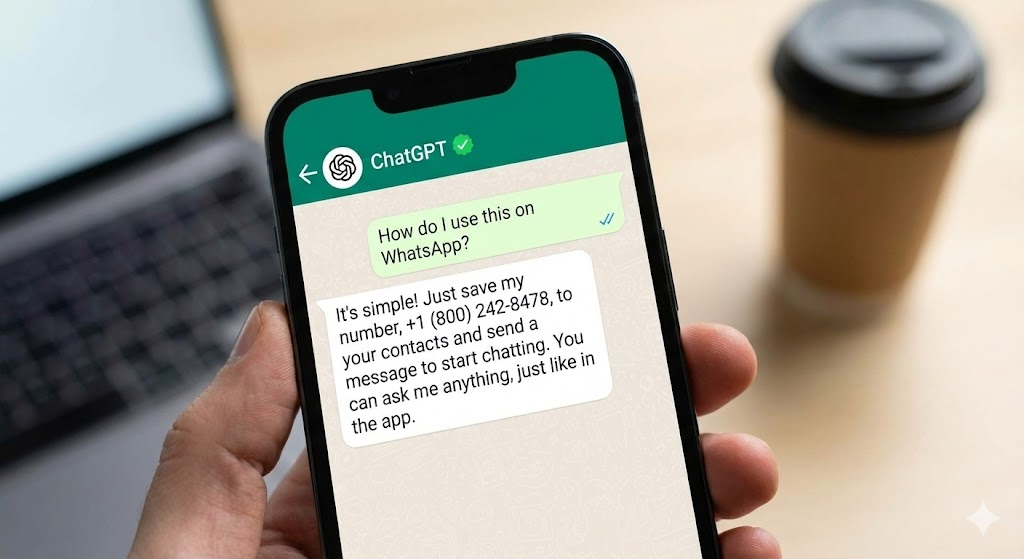
Have you ever wished you could access the power of a world-class AI like ChatGPT? You can do this without disrupting your workflow. It is possible without leaving your favorite messaging app.
Forget opening another app or using Meta AI. This is the official, verified 1-800-ChatGPT service. It lets you chat directly with the AI assistant you trust. You can do this right from your WhatsApp.
Let’s get it set up in three simple steps.
Step 1: The Pre-Requisite Check
Before you make contact with the AI, a quick system check is essential. Think of this as preparing your communication device.
First, you must make sure your WhatsApp app is ready for this secret connection.
- A Quick Update Trip: Go to your device’s app store. Visit the Google Play Store if you’re on Android. For iPhone users, head to the App Store. Search for WhatsApp and make sure you have the absolute latest version installed.

Step 2: Adding the Genius to Your Contacts
The official ChatGPT service is connected to a specific, verified phone line. This lets you treat the AI like any other contact. This is where the magic number comes in.
- Open the Portal: Launch WhatsApp and navigate to the Chats tab.
- Initiate New Contact: Tap the New Chat icon (it often looks like a message bubble or a plus sign) to access your contact list. Select the option to add a New Contact.

- The Secret Number: You need the verified U.S. number: 1-800-CHATGPT, which translates to 1-800-242-8478. Make sure your country code is set to the United States (+1).

5. A Name for the AI: Save the contact with a clear name, such as
ChatGPT. Tap “Done” (or “Save”) to complete the entry.
Step 3: Texting the AI and Getting Instant Answers
The heavy lifting is done! Now, you can open the chat and start communicating with the AI just as you would with a human friend.
- Find the Verified Chat: Go back to your WhatsApp chat list and find your new ChatGPT contact. Look closely for the verified green checkmark badge next to the name. This badge confirms you are texting the official OpenAI service, not an imposter.

- Send Your First Prompt: Open the chat and send your first message! It can be a simple “Hello” or a complex query.

- Get the Response: After a moment, ChatGPT will process your text. It will then send its detailed reply directly into the chat thread. From now on, you can keep the conversation going, asking follow-up questions or starting new topics, all within WhatsApp.

A Note for the Curious User
Remember that while this method is incredibly convenient, the WhatsApp chat is currently focused on text-only conversations. It is also exposed to a daily message limit. This limit is not a fixed number but is adjusted based on system capacity and usage. For advanced features like sharing images, you will still need to use the official native app or website. Use ChatGPT’s search capabilities there, too. To use personalized functions like Custom Instructions, the official app or website is necessary.
This WhatsApp access is designed for quick, on-the-go queries. It is a unique way to keep powerful AI right in your pocket!
FAQs – use ChatGPT on WhatsApp
Is using ChatGPT on WhatsApp actually free?
Yes, for now. Using the official 1-800-ChatGPT number is currently free of charge. But, keep in mind that this is an “experimental” feature from OpenAI. Standard data or carrier messaging rates may apply depending on your phone plan.
Why isn’t ChatGPT responding to me on WhatsApp?
If the AI gives you the “silent treatment,” it’s usually due to one of three reasons:
- Region Lock: Currently, this experimental service is primarily rolled out for users with U.S. and Canadian phone numbers. If you are using a number from another country, the bot might not reply.
- Daily Limits: To prevent system overload, there is a daily message limit for WhatsApp chats. If you’ve been chatting non-stop, you might have hit your quota for the day.
- Connection: Just like any WhatsApp message, if your internet or mobile data is spotty, the message won’t go through.
Can I send voice notes or pictures to ChatGPT on WhatsApp?
It depends. The service started as a text-only experience. However, newer updates have started rolling out limited support for voice queries and image analysis.
Note: Complex tasks like generating high-quality images or analyzing large files should be done on the official ChatGPT app or website. The WhatsApp version offers a ‘lite’ experience.
Is my conversation private on ChatGPT for WhatsApp?
Yes, but with caveats. Your chats are secured by WhatsApp’s standard encryption during transit. However, since you are talking to a business bot (OpenAI), the messages are processed by OpenAI’s servers to generate a response.
Pro Tip: Never share sensitive personal info like passwords, credit card numbers, or medical records. Avoid sharing these with any AI chatbot, including this one.
Can I link my WhatsApp chats to my main ChatGPT account?
Yes! This is a great feature. If you have an existing ChatGPT account, you can ‘link’ your phone number. This way, your WhatsApp history is saved to your main account. Look for a link or prompt within the WhatsApp chat (often in the welcome message) to connect your accounts
Learn more about making the most of ChatGPT
Here are some more hacks and workflows you can explore that use ChatGPT:
- 5 ChatGPT Parental Controls: OpenAI Age Detection Tech Explained
- Build AI Podcast Generator: Script to Audio with ElevenLabs v3, OpenAI, Vercel, Supabase
- Claim ChatGPT Go Free in India: Features and Reviews
- How OpenAI Critterz Makes Filmmaking Accessible To Independent Animators
- OpenAI’s Why Language Models Hallucinate AI Research Paper Explained
- Use ChatGPT Projects Feature For Free [Tutorial with Example]
- Why GPT-5 Launch Failed: User Feedback Analysis [Reddit/X vibe checks + expert reviews]
- OpenAI and Mattel AI Toys Experience: Risks and Opportunity
- ChatGPT Search Upgrade: Shopping Without Login
- OpenAI o3 vs o4-mini: Reddit And Expert Review Analysis On Upgrades
- ChatGPT Long-Term Memory Upgrade – How To Protect Your Data
- ChatGPT vs Gemini 2.5 Pro – Analyzing Reddit And Expert Reviews
We will update you more about such AI news and guides on using AI tools, subscribe to our newsletter shared once a week:
This blog post is written using resources of Merrative. We are a publishing talent marketplace that helps you create publications and content libraries.
Get in touch if you would like to create a content library like ours. We specialize in the niche of Applied AI, Technology, Machine Learning, or Data Science.
Leave a Reply