You spend hours writing your resume. You apply for a job you love. And then… you never hear back. Why does this happen?
Usually, a human does not reject you. A robot did.
Most companies use an Applicant Tracking System (ATS) to read resumes. This software acts as a filter. It reads your resume and gives it a score based on how well it matches the job description. If your ATS resume score is too low, the recruiter will never even see your application.
In this guide, we will explain exactly what a resume ATS score is. We will discuss what number you need to aim for. We will also cover who needs to use these tools. Finally, we will introduce the 5 best tools you can use right now to calculate your score for free.
What Is a Resume ATS Score?
An ATS score is a simple number, usually between 0 and 100. It tells a hiring manager how well your resume matches the job they posted.
The ATS scans your document looking for:
- Keywords: Exact words from the job description (like “Python” or “Customer Service”).
- Skills: Tools and abilities needed for the job.
- Format: Clean text that the robot can easily read.
Think of it like a test. If the job asks for ‘Agile Project Management’ and you just wrote ‘Managed projects,’ your score will drop. You have to speak the robot’s language.
Who Should Use ATS Resume Checkers?
Everyone applying for a job online should use an ATS checker, but it is especially important for:
- Freshers and Students: You might not have years of experience, so every single keyword from your classes or internships counts.
- Experienced Professionals: You have a lot of history. Make sure you highlight the exact skills the new company wants. Do not just include everything you’ve ever done.
- Career Changers: You need to match “transferable skills.” A checker helps you see if the robot understands how your past job applies to this new industry.
What Is a Good Resume ATS Score? (The Magic Number)
So, what score do you actually need?
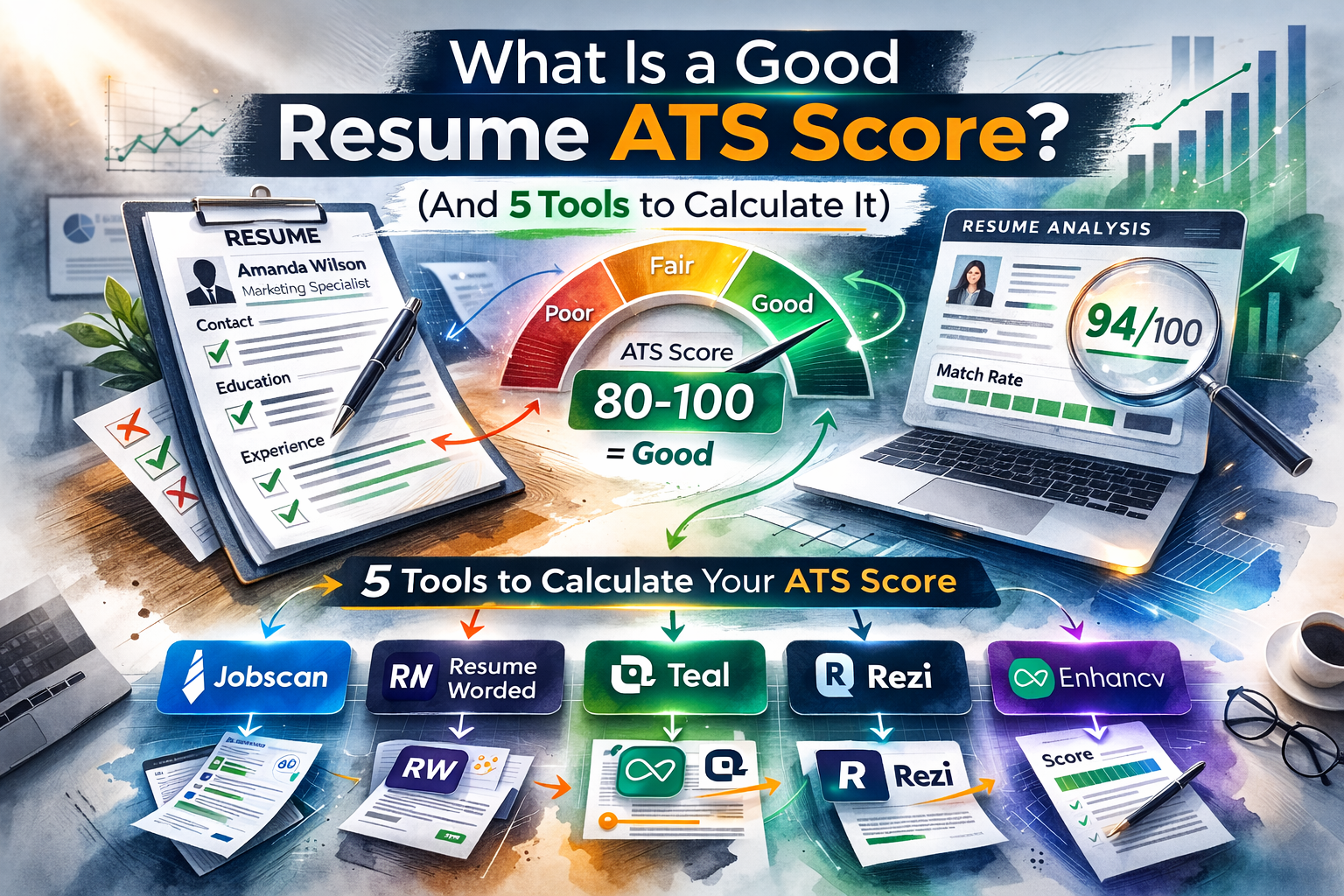
- The ‘Safe Zone’ (80%+): Generally, a score of 80% or higher is considered excellent. If you hit this, you have a very strong chance of being seen by a human recruiter.
- What is a good resume ATS score for freshers? If you are a student, aim for 70% to 75%. This is a great target if your education and soft skills match perfectly.
- What is a good resume ATS score for experienced ones? Professionals with 5+ years of experience have more history to pull keywords from. For you, the goal should be 85% to 90%.
5 Tools to Calculate Your ATS Score
You can’t calculate this score by guessing. You need an ATS score checker to mimic the robots. Here are the 5 best tools to help you do this.
1. Jobscan

Jobscan is an AI-powered resume scanner that acts exactly like the ATS software that big companies use. It also has tools to improve your LinkedIn profile and cover letters!
How to use it:
- Upload or Copy the text of your resume.

- Copy the text of the job description (from LinkedIn or Indeed).

- Click on Scan, so JobScan can start scanning your resume

- Result: It gives you a match rate (e.g., 65%) and tells you exactly which keywords you are missing.

Why use it: It gives you a direct match rate (e.g., 65%) and tells you exactly which hard skills and keywords you are missing.
Link: Jobscan
2. Resume Worded

Designed by top recruiters, this platform grades your resume on impact, brevity, and style using AI. They offer hundreds of free sample bullet points from resumes that successfully landed jobs at top companies.
How to use it:
- Choose your career level.

- Upload your PDF resume.

- The AI analyzes your bullet points.

- Result: It gives you a score out of 100 on “Impact,” “Brevity,” and “Style.”

Why use it: While Jobscan checks for keywords, Resume Worded checks your writing. It will tell you if your bullet points are too long or if you need stronger action verbs.
Link: Resume Worded
3. Teal

Teal is an all-in-one job search platform with an amazing resume builder that updates your score in real-time. Teal has a Chrome extension that lets you save jobs from any website and track them in one dashboard.
How to use it:
- Use their “Resume Builder” to type in your details.

- The built-in “Analysis” tool runs in real-time.

- Result: It highlights issues instantly and suggests improvements to boost your score.
Why use it: It eliminates the need to repeatedly download and re-upload your resume simply to check your score. Instead, you can instantly see the impact of an update. Select, deselect, add, or edit details directly on the spot. View the new score immediately.
Link: Teal
4. Rezi

Rezi is an AI resume builder designed specifically to outperform ATS software. They focus heavily on perfect formatting. Rezi has a feature that can even write a targeted cover letter based on your newly created resume.
How to use it:
- Create a resume using their templates.


- Use the “Rezi Score” feature.

- Result: It grades your resume on content, formatting, and optimization for ATS software.

Why use it: It forces you to use ATS-friendly formatting. This way, you never have to worry about the robot failing to read your document.
Link: Rezi
5. Enhancv

Enhancv helps you build modern, beautiful resumes that still pass the ATS test. They support multiple languages and have specific templates for executives, freshers, and creative professionals.
How to use it:
- Go to the Enhancv Resume Checker and login.
- Upload your resume.

- Result: It checks for typos, structural issues, and vague wording that might confuse an ATS.

Why use it: Many ATS tools create boring, black-and-white text resumes. Enhancv gives you a balance: it passes the ATS robot and looks great to the human who reads it next.
Link: Enhancv
ATS Score vs. Human Score: The Ultimate Comparison
| Feature | The Robot (ATS Optimized) | The Human (Recruiter Optimized) | The Hybrid (What You Need) |
| What It Cares About | Exact keywords, hard skills, and matching job titles. | Real-world impact, soft skills, and your career story. | Keywords attached to actual results and measurable achievements. |
| Formatting Rules | Plain text, standard fonts, and single columns. No tables or graphics. | Beautiful design, lots of white space, and easy to skim quickly. | ATS-safe layouts (no complex graphics) that are still neatly organized and visually clean. |
| Language & Tone | Literal. If it asks for “Customer Service,” saying “Client Care” might lower your score. | Engaging and action-oriented. Wants to know how you solved problems. | Natural-sounding sentences that weave exact keywords into a compelling story. |
| The Primary Goal | To act as a gatekeeper and filter out unqualified applicants. | To find a capable person who will fit in well with the company culture. | To pass the automated filter and impress the hiring manager. |
| The Final Result | Gets your resume out of the digital trash and onto a screen. | Makes them pick up the phone to call you. | Gets you hired. |
3 Common ATS Mistakes That Ruin Your Score
Even if you have the right skills, bad formatting can break the robot’s brain. Avoid these three common mistakes:
- Using Fancy Templates: ATS robots can’t read pictures, graphics, tables, or multiple columns. If you use a beautiful two-column design, the robot might mix up your text. Keep it to a simple, single column.
- Missing Exact Keywords: The robot does not understand synonyms. If the job description asks for “SQL,” do not just write “Databases.” You must use the exact word they used.
- Creative Section Headings: Use standard names like “Work Experience,” “Education,” and “Skills.” Do not use creative titles like “My Career Journey” or “What I Bring to the Table,” or the ATS will completely skip that section.
Frequently Asked Questions (FAQs)
- What is the resume ATS score?
An ATS score is a percentage (from 0 to 100) generated by recruitment software. It ranks how well your resume’s keywords, skills, and formatting match a specific job description. - How much ATS resume score is good?
Generally, a score of 80% or higher is considered “good.” This score puts you in the safe zone. The robot has confidently matched your skills to the job. A human will likely read your application. - What is a good resume ATS score for freshers?
Freshers often lack a long list of earlier job experiences. Hence, a good resume ATS score for them is slightly lower. Aiming for a score of 70% to 75% is a great target. Make sure that your education and soft skills match the job. - What is a good resume ATS score for experienced professionals?
Professionals with over 5 years of experience have much more history to work with. Hence, a good resume ATS score for experienced candidates is higher. You should aim for 85% to 90%. - Is an ATS score of 70 good?
Is an ATS score of 70 good? It is okay, but it sits on the borderline. A 70% score means you have the basic qualifications. Still, in a very competitive job, candidates with scores of 80% or higher will rank above you. - Is an 84 ATS score good?
Yes! Is an 84 ATS score good? Absolutely. Anything over 80% is excellent. What is the ATS pass score? There is no universal passing grade. Still, getting an 84 almost guarantees that your resume will make it past the robots. - How to get a 90+ ATS score?
You must heavily tailor your resume to the job. Use the exact job title from the posting as your resume headline. Include almost all the “hard skills” listed in the job description. Keep your formatting incredibly simple. - Best ATS score checker?
The best ATS score checker depends on what you need. If you want to compare your resume against a specific job description, Jobscan is the best. If you want the best ATS resume checker free for real-time writing, Teal is an amazing choice. What is a good resume ATS score free tools can offer? Most free tools will give you a basic match rate, and hitting 80% on them is a solid goal. - Is a 2-page CV ATS-friendly?
Yes, is a 2 page CV ATS-friendly? Definitely. ATS software has no problem reading two pages of text. The “one-page rule” is only for human readers. As long as your second page is full of relevant keywords, the ATS will gladly process it. - Is a 2-column resume ATS-friendly?
No, usually, it is not. Many older ATS robots read from left to right, straight across the page. If you use two columns, the robot might mix up your job titles with your contact information, ruining your score. It is always safer to use a simple, single-column format.
Check out more AI uses cases for HR, Recruiting, and Career management on AppliedAI Tools
Make the most of AI tools for your personal or workplace productivity around HR, recruiting, job search, career management, workplace use cases:
- How to Use LinkedIn AI Resume Builder?
- Do AI Resumes Get Rejected? – Reddit Recruiter Insights
- 15+ Generative AI quotes on future of work, impact on jobs and workforce productivity
- NotebookLM Slide Decks: Reddit Reviews + Example Prompts
- How to Use AI Resume Builder on Canva [Tutorial]
- 3 Ways Claude Opus 4.5 Redefines Software Engineering
- Microsoft AI-Safe Jobs Study Explained: Use Insights to AI-Proof Career in 2025
- MIT ChatGPT Brain Study: Explained + Use AI Without Losing Critical Thinking
- How AI for Consulting Reshapes Strategy Consulting Jobs in 2025
- 6 best AI note taker from audio recording apps – feature + price compared
- 5 Best AI Note Taker Apps For In-Person Meetings
- 9 best AI meeting assistants for sales teams [AI sales assistants]
- 9 Best AI Meeting Assistants for Project Managers
- 11 Best Botless or Bot Free AI Meeting Assistants that doesn’t join by bot
- Top 15 Features An AI note-taking tools Must Have For Meetings
- 6 latest Generative AI tools by Google to improve workplace productivity
- Risk assessment to manage 4 Generative AI for HR risks
- Generative AI For HR Recruitment – 10 use cases, 50 AI Tools, 5 Examples of companies using AI
- Generative AI for Consulting – ChatGPT prompts, Big-4 examples, AI tools list
Twice a month, we share AppliedAI Trends newsletter.
Get SHORT AND ACTIONABLE REPORTS on AI Trends across new AI tools launched and jobs affected due to AI tools. Explore new business opportunities due to AI technology breakthroughs. This includes links to top articles you should not miss.
Subscribe to get AppliedAI Trends newsletter – twice a month, no fluff, only actionable insights on AI trends:
You can access past AppliedAI Trends newsletter here:
This blog post is written using resources of Merrative. We are a publishing talent marketplace that helps you create publications and content libraries.
Get in touch if you would like to create a content library like ours. We specialize in the niche of Applied AI, Technology, Machine Learning, or Data Science.
Leave a Reply